

The program
Twelva text messages are an optional service of TwelveBirds Technologies Inc., doing business as Twelva, for people with a Twelva account. After opting in, you can text your Twelva assistant and get its replies, reminders you set, updates on tasks you hand to it, and verification codes. Texts come from (650) 666-8936.
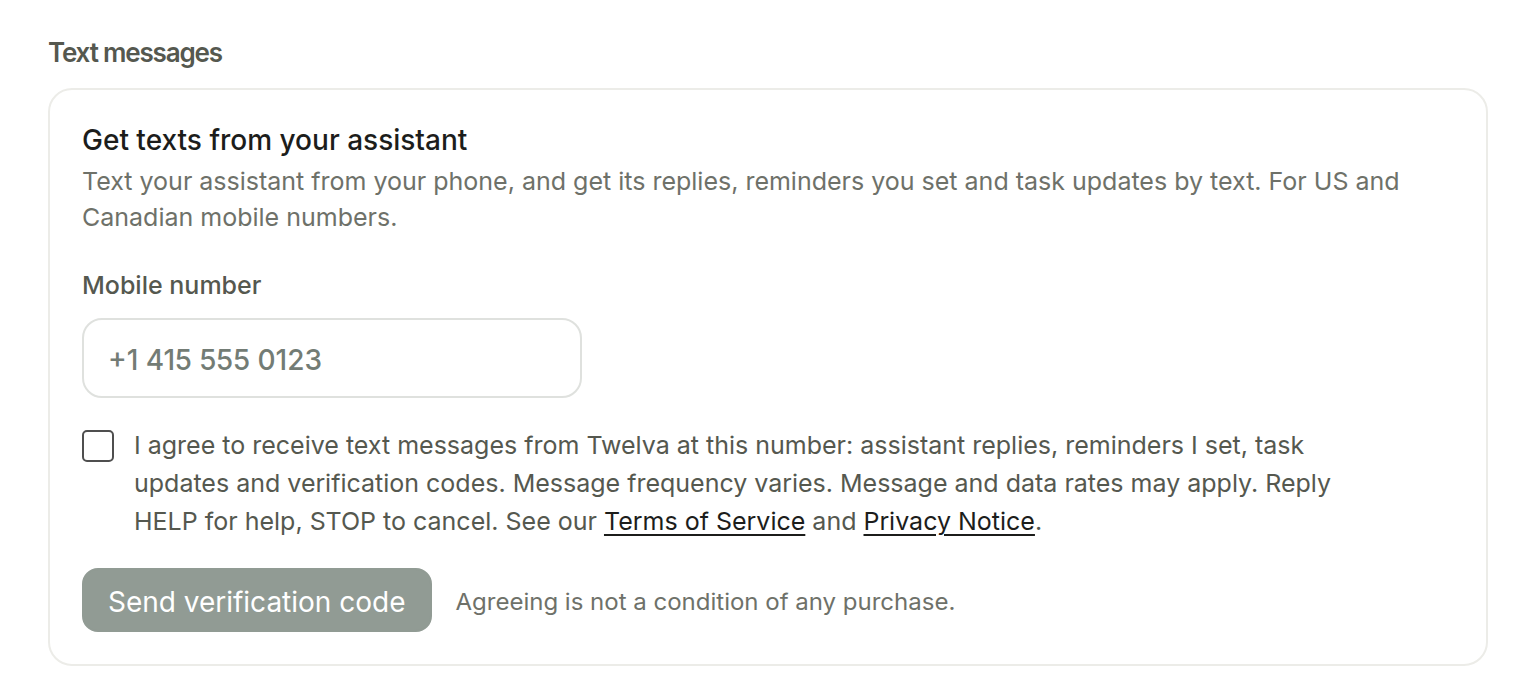
Texting opens after our carrier registration is approved. Until then, the form shown below is not offered in Twelva.
How to opt in
- Sign in at client.twelva.ai and open Account & settings, then Assistant.
- Under Text messages, enter your US or Canadian mobile number.
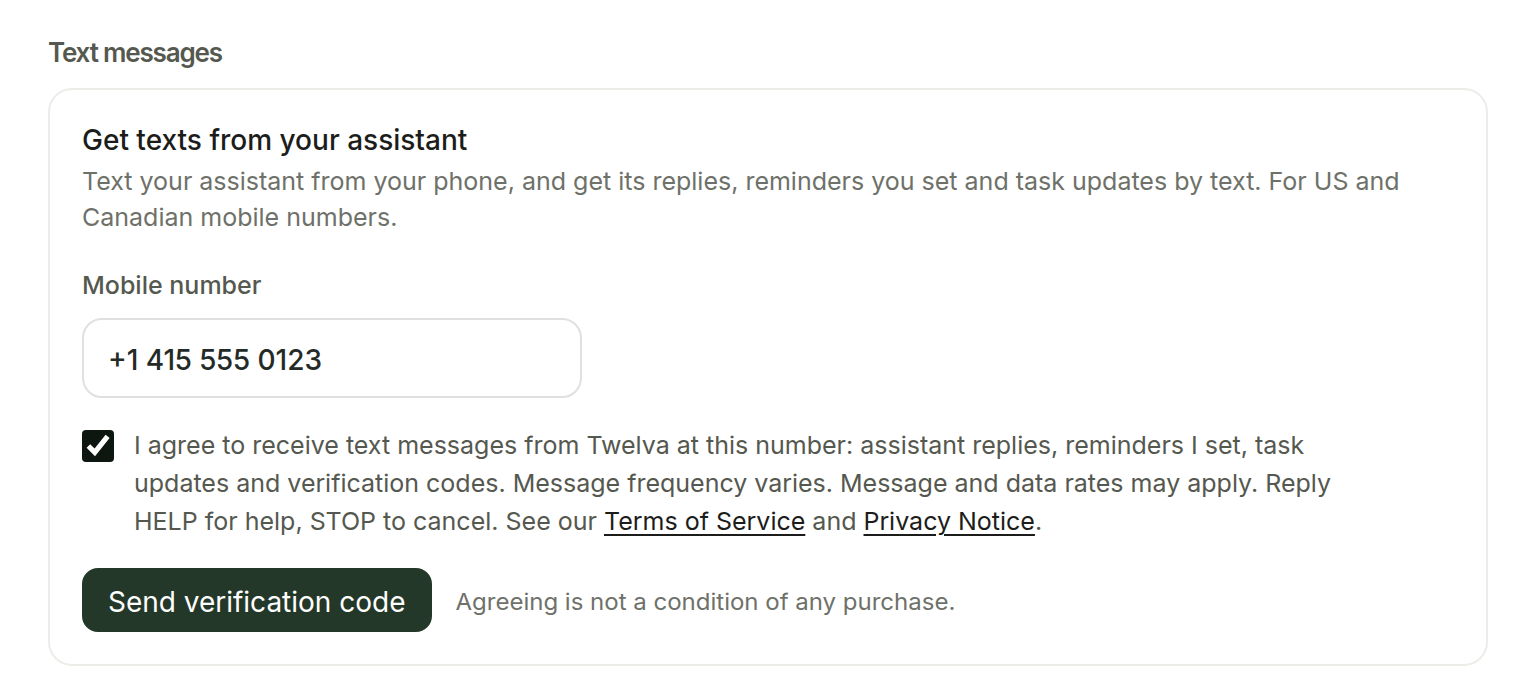
- Tick the box to agree to the text next to it. The box is never ticked for you, and the button stays off until you tick it.
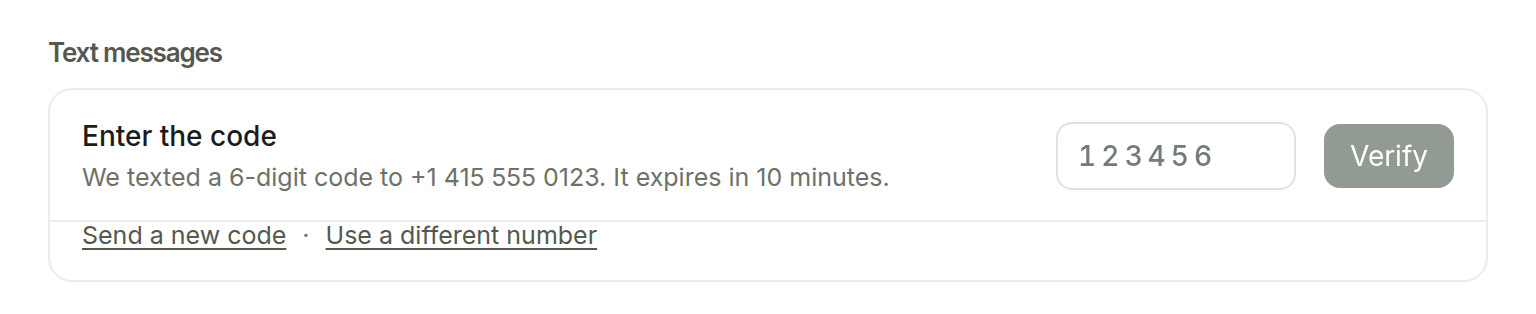
- Click Send verification code, then enter the 6-digit code we text you. Texts turn on only after the code is confirmed, and we send a confirmation text.
The form is behind a sign-in, so these are screenshots of it in Account & settings.

What you agree to
Next to the box, the form shows:
I agree to receive text messages from Twelva at this number: assistant replies, reminders I set, task updates and verification codes. Message frequency varies. Message and data rates may apply. Reply HELP for help, STOP to cancel. See our Terms of Service and Privacy Notice.
Agreeing is not a condition of any purchase. We record when you agreed, which wording you saw and in which language.
Messages we send
Examples of each kind of message. Text in brackets changes; the verification code and the confirmation are sent exactly as shown.
- Verification code
Twelva: Your verification code is [123456]. It expires in 10 minutes. If you didn't request it, ignore this text. Reply STOP to opt out. - Confirmation after opting in
Twelva: You're signed up for texts from your Twelva assistant: replies, reminders you set and task updates. Msg frequency varies. Msg & data rates may apply. Reply HELP for help, STOP to cancel. - A reminder you set
Twelva reminder: [Call Mia to confirm the proposal meeting] at [3:30 PM] today. Manage reminders at client.twelva.ai. Reply STOP to opt out. - A task you handed off is done
Twelva: Your task "[Compare 3 business hotels in Shinjuku]" is done. See the results at client.twelva.ai/chat/assistant. Reply STOP to opt out. - A task needs your answer
Twelva: Your task "[Tokyo 3-day trip plan]" needs your answer: [Where is Wednesday's meeting?] Reply here or open client.twelva.ai. Reply STOP to opt out. - A reply from your assistant
Twelva: Done. I added "[Renew domain]" to your to-dos for [10/10/2026] and will remind you at [9:00 AM]. Reply HELP for help, STOP to opt out.
Frequency, costs and stopping
Message frequency varies with your use. Message and data rates may apply. Reply HELP for help or STOP to cancel at any time; you can also turn texts off in Account & settings, then Assistant. Carriers are not liable for delayed or undelivered messages.
Privacy
We do not share your mobile number or text-message consent with third parties or affiliates for their marketing or promotional purposes. Twilio delivers our texts. Read more in our Privacy Notice and Terms of Service. Questions: hello@twelva.ai