
Build, edit and publish a website
Move from a brief to a reviewed draft, then decide what goes live.
Start with a website brief
In Chat, describe the business, audience, pages and main action visitors should take. Select the project whose brand memory should apply. Review any displayed generation cost before confirming; a generated draft is not a published website.
Open the workspaceInspect and edit the draft
Open the website in the result panel or continue its conversation from Sites. The website editor offers Preview, Edit and Compare, with Desktop and Mobile views. In Edit, select an editable element and update its supported text, image, link or style controls.
- Use Compare to review the saved draft beside your changes.
- Undo or redo local edits, then choose Save draft when ready.
- Check every page, link and mobile layout. Direct edits do not use AI credits; an AI revision can.
Publish the reviewed version
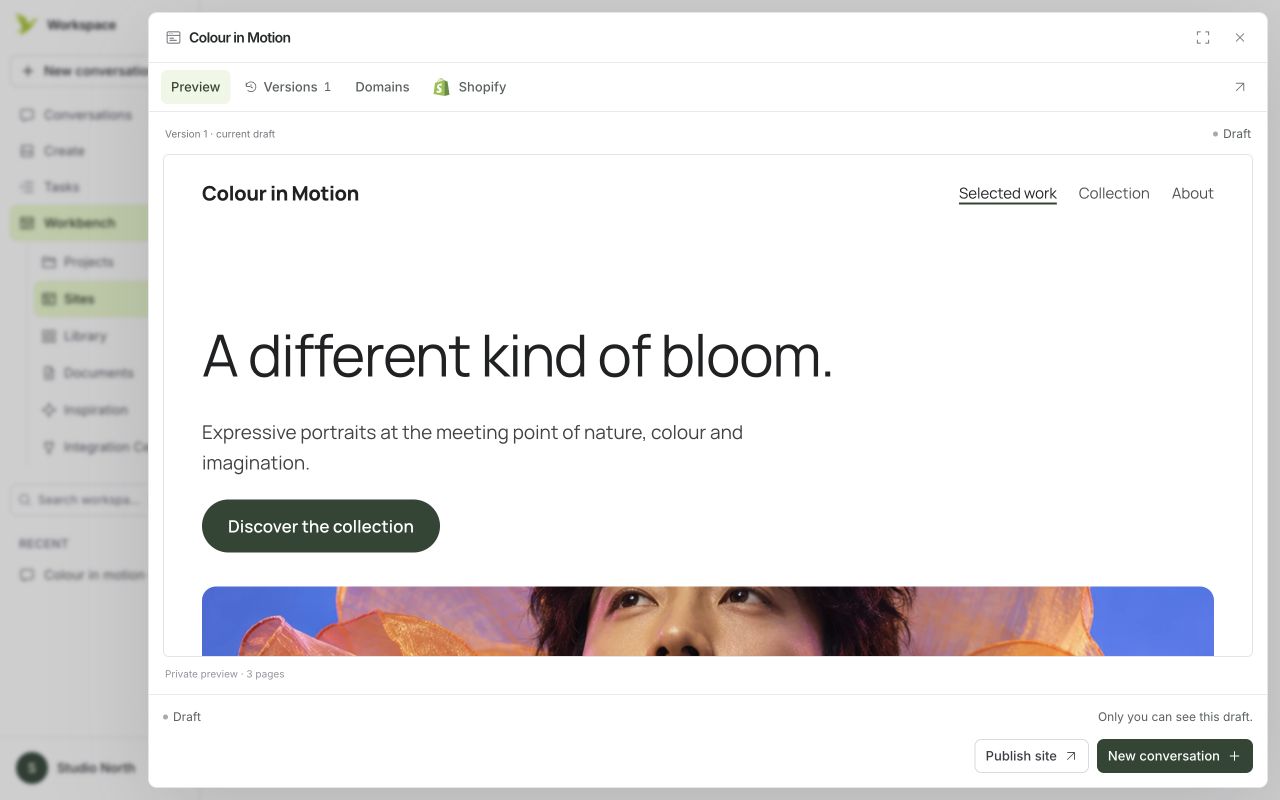
Open Sites, select Preview & versions and check the current draft. Choose Publish site, or Publish changes for an existing live site, when your plan permits publishing. Use Open live to verify the public result. Saving or restoring a draft does not update the live version until you publish it.
Restore a draft or take a site offline
In Versions, preview a saved version before choosing Restore as draft. Restoration creates a new draft and leaves the live site unchanged. Unpublish takes the public link offline while keeping drafts and history. Read the confirmation before either action.
Was this guide helpful?